Bring in what happened
Invoice files, Toast sales exports, and cocktail recipes arrive as traceable import runs—not mystery rows in a spreadsheet.
 Bars Bookkeeper
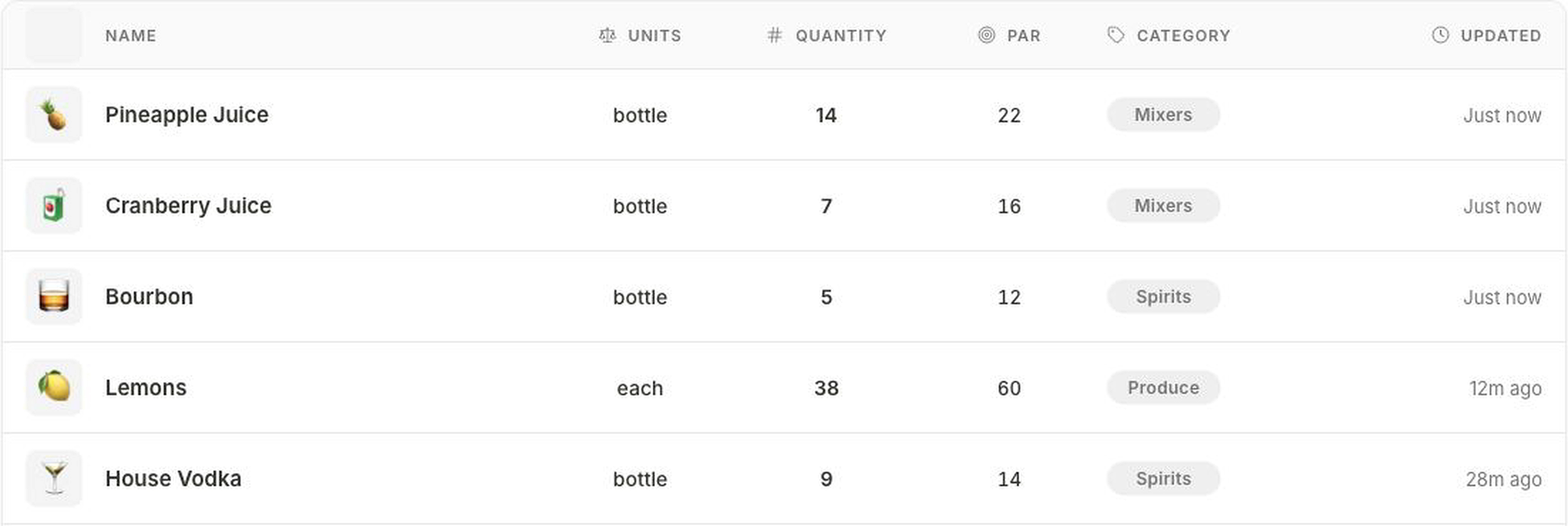
Bars Bookkeeper connects on-hand counts, staff requests, invoices, sales exports, and recipes—then turns them into explainable stock signals and vendor-ready orders.
Developed by Théo Pasquier, with bar teams.
One weekly operating loop
The working week
No black box and no “set it and forget it” promise. Each step stays visible, from the source file to the final supplier handoff.
Invoice files, Toast sales exports, and cocktail recipes arrive as traceable import runs—not mystery rows in a spreadsheet.
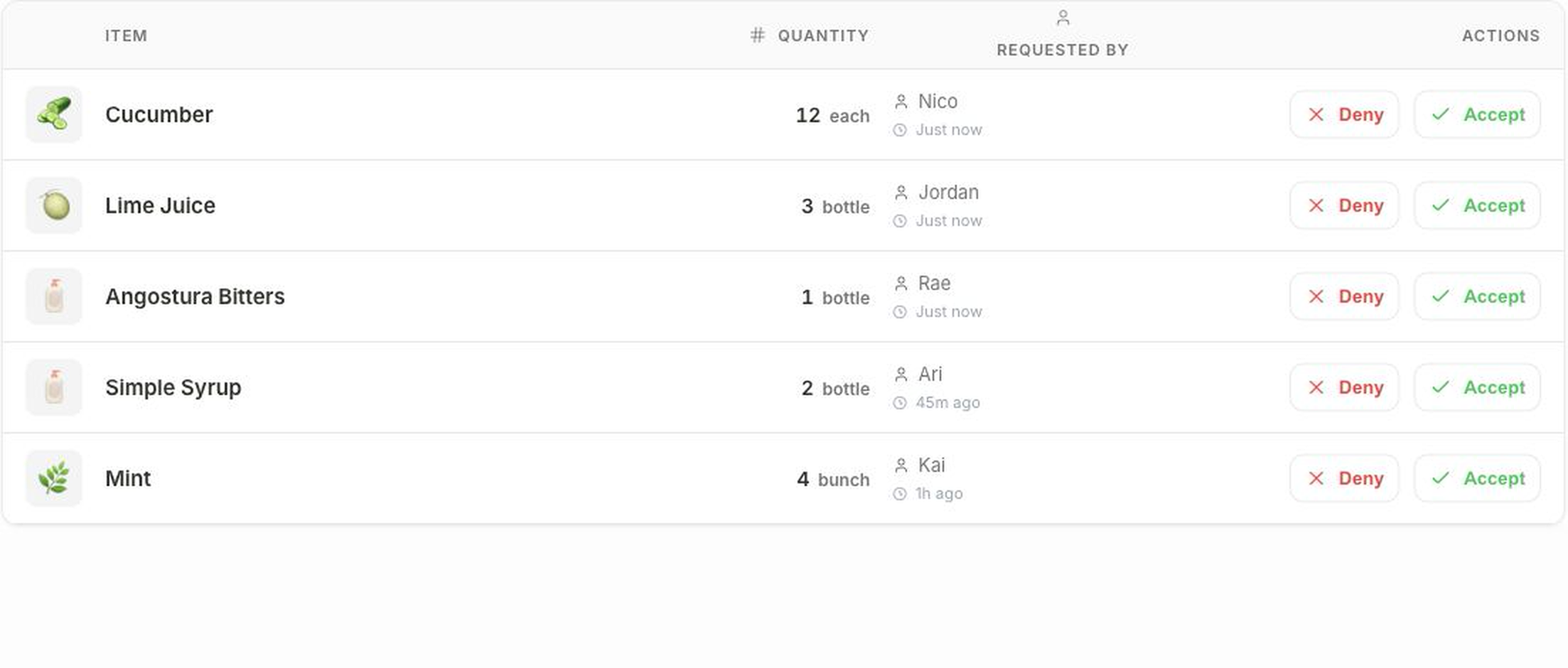
Staff flag the lime juice, bitters, mint, or anything else running short. Managers get the item, quantity, requester, and time.
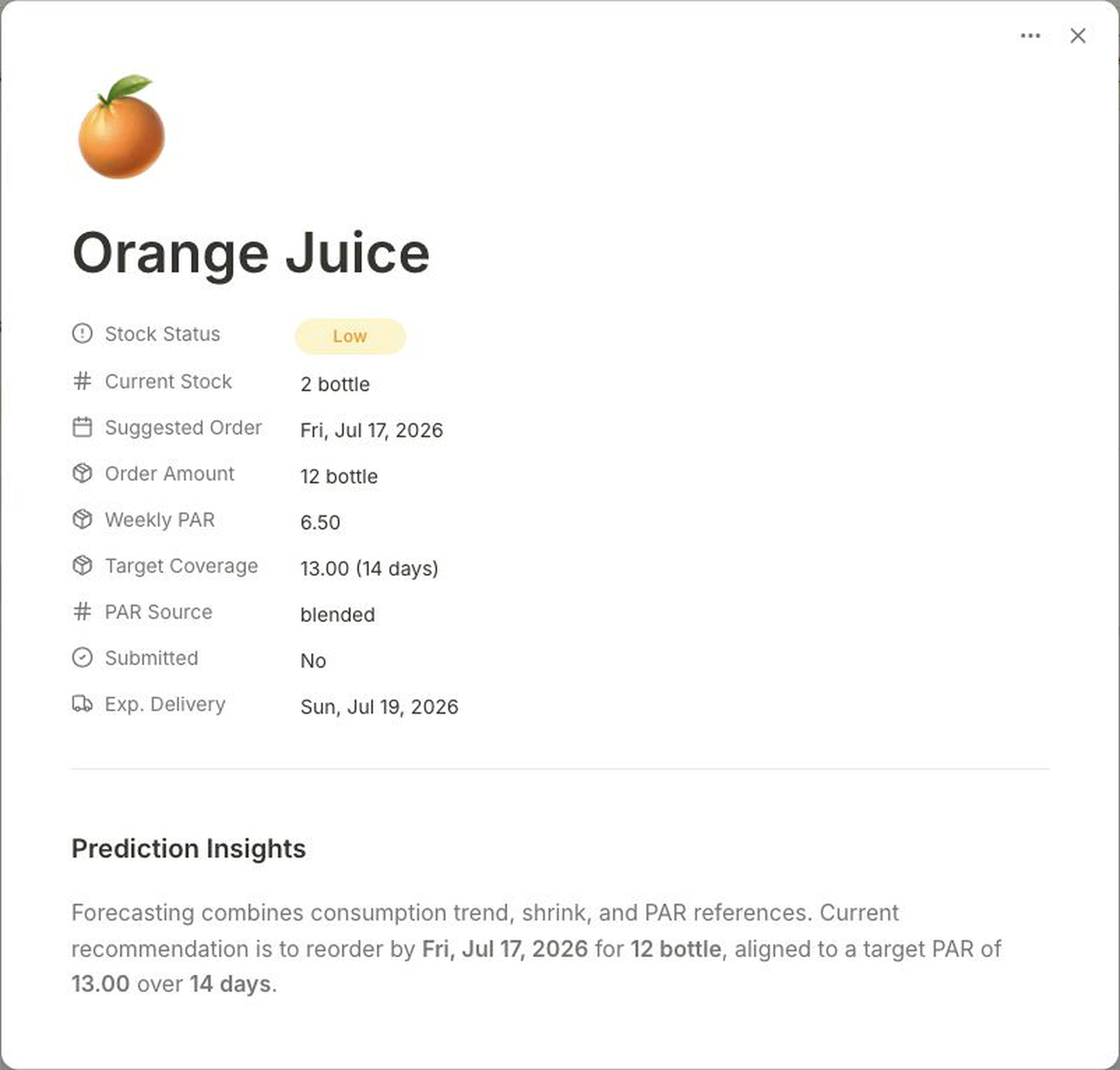
Current stock, consumption, shrink, and PAR references become a suggested order date, target coverage, and purchase amount.
Orders stay grouped by supplier with line-item counts, total units, delivery timing, and a visible draft or sent state.
01 / The floor signal
Someone behind the bar can flag exactly what is needed. The manager sees the quantity, unit, requester, and time—and can accept or deny it without losing the context.
02 / The recommendation
The recommendation is inspectable. Managers can see what is low, the current stock, the suggested order date, the amount to buy, the PAR source, and the expected delivery date.
03 / The paper trail
The source data and the resulting vendor work remain easy to inspect. That makes the weekly order easier to review—and easier to explain later.
Invoice rows can be complete while the Toast export is still processing and a recipe file needs attention.

Draft and sent orders stay distinct, with delivery expectations and a clear record of the supplier handoff.

Built for review
Source, filename, row count, upload time, and processing status.
Current stock, weekly PAR, target coverage, purchase amount, and PAR source.
Requester, manager action, vendor, delivery timing, and draft or sent state.
Now officially open source
Bars Bookkeeper is now open source so operators and developers can inspect how recommendations are made, adapt the workflow to real venues, and improve it without handing their inventory data to a black box.
Explore the Version 3 inventory engine, forecasting, audit trail, and operational tooling on GitHub. The repository includes setup, architecture, security, and contribution guides.
View on GitHub MIT licensed · Contributions welcome